for the My BridgeFit Plan app
My BridgeFit Plan is the mobile app published by BridgeFit and operated for them by MyHealthSentry. Your My BridgeFit Plan account is held by MyHealthSentry on BridgeFit's behalf, and you can delete it yourself at any time.
You can delete your My BridgeFit Plan account at any time from within the app. Deleting your account will permanently remove all of your data, including your profile, health metrics, competition history, and any connected device integrations.
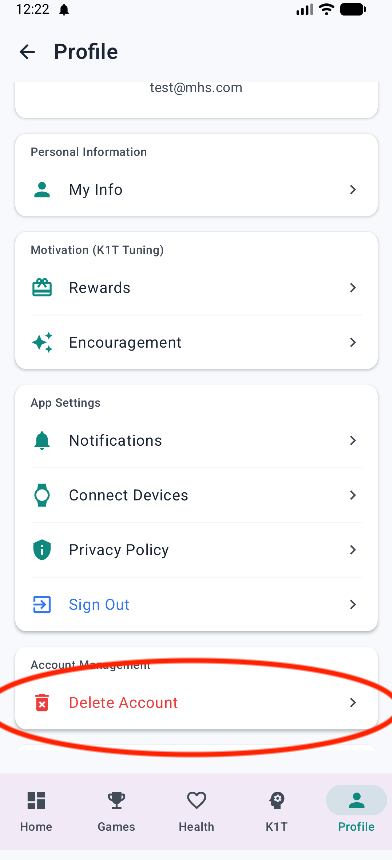
When you delete your account, the following data is permanently removed:
This action is irreversible. If you have any questions, need assistance, or would rather we delete your My BridgeFit Plan account for you, please contact us at [email protected].